The cross-platform PDF SDK with a full editor.
One cross-platform PDF SDK: edit the text already in a PDF, fill and build forms, mark up, sign and verify in your iOS, Android, web, Flutter and React Native apps. One engine everywhere, and documents never leave the device.
Every PDF SDK feature, by the job it does.
Edit
Change what is on the page, and the pages themselves.
Forms and signing
Collect data, approvals and signatures that hold up.
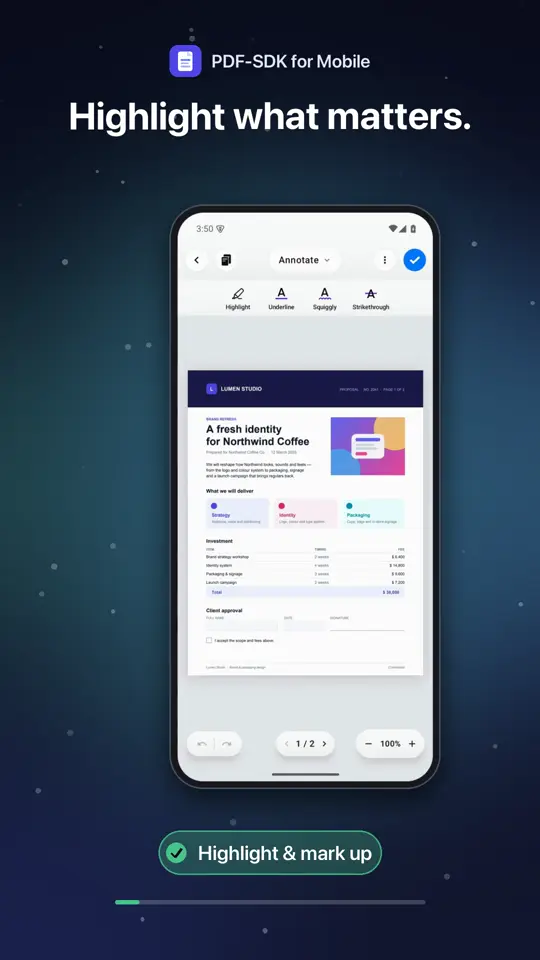
See the PDF SDK on a phone.
A 30-second tour of the editor in a mobile app.
- Edit text and images
- Highlight and mark up
- Add shapes and arrows
- Fill in forms
- Sign anywhere
- Zoom and move between pages
The hard parts of PDF editing, already done.
Showing a PDF is easy. Changing one, and keeping it valid, is where an app team’s months go.
Editing the text that is there
A PDF stores positioned glyphs, not paragraphs. The SDK replaces them in any script, with the document’s fonts or yours, and fits the result to the space.
Forms that stay valid
Every field type, values read and written by name, new fields added and the form flattened when it is final.
Signatures that verify
PKCS#7 signatures written as an incremental update, counter-signing that keeps earlier signatures valid, and verification of what is already there.
The same editor everywhere
One engine behind native iOS, Android and web editors — and Flutter and React Native on top — so a document behaves the same on all of them.
Add it in three steps.
- 1Add the package to your app.
- 2Set your license key once, at startup.
- 3Open the editor — and get the edited PDF back.
import SwiftUI
import PDFEditorUI

@main
struct MyApp: App {
    init() { PDFEditorSDK.setLicenseKey("PE1.eyJ2Ijox…") }
    var body: some Scene { WindowGroup { ContentView() } }
}

// Present the editor; the edited PDF comes back as Data.
PDFEditorView(url: pdfURL) { edited in
    try? edited.write(to: pdfURL, options: .atomic)
} onCancel: { }
// Once, in Application.onCreate()
PdfEditorSdk.setLicenseKey("PE1.eyJ2Ijox…")
setContent {
PdfEditorScreen(
pdfPath = file.absolutePath,
onSave = { bytes -> file.writeBytes(bytes) },
onClose = { finish() },
)
}import { PDFEditor } from '@pdfsdk/editor';
const editor = await PDFEditor.create(canvas, {
licenseKey: 'PE1.eyJ2Ijox…', // issued for your domain
});
editor.open(new Uint8Array(await file.arrayBuffer()));
const edited = editor.save(); // the edited PDFawait PdfEditor.setLicenseKey('PE1.eyJ2Ijox…');
final String? edited = await PdfEditor.open(
path: file.path,
mode: PdfEditorMode.annotate, // optional
);import { PdfEditor } from '@pdfsdk/react-native-pdf-editor';
await PdfEditor.setLicenseKey('PE1.eyJ2Ijox…');
const edited = await PdfEditor.open({ path: filePath });
if (edited) await upload(edited);Built for the documents your users sign off.
- Banking and financeAccount-opening and loan forms, filled in and signed on a tablet in the branch — and still working if the network drops.
- HealthcarePatient intake and consent forms completed on the device, so the documents stay inside your app.
- LegalContracts reviewed in the browser: clauses marked up, wording edited, the document signed and its signatures verified.
- EducationWorksheets annotated and assignments filled in by students, then marked up and returned by teachers.
- HR and onboardingOffer letters and onboarding paperwork filled in, signed and returned without leaving your own app.
- Field serviceInspection reports filled in on site, with photos added and a signature at the end — no connection needed.
PDF SDK questions.
A software development kit that adds PDF features to your own app: viewing, editing, forms, annotations and signatures, with an API and a ready-made user interface. PDF-SDK ships a complete editor for iOS, Android, the web, Flutter and React Native.
Viewing is the easy part. Editing existing text across scripts and fonts, keeping forms valid and writing signatures that verify elsewhere take years to get right — an SDK lets your team ship the editor and spend its time on your app.
Yes. One engine runs behind native editors for iOS, iPadOS and the Mac, Android and the web; the Flutter plugin and the React Native package use the native SDKs. A document edited on one opens the same on the others.
No. Documents are opened, edited, signed and saved on the device, so there is no document server to host. Only online licenses talk to the license server, and they keep working offline in between.
Per app: a key names the bundle IDs, package names or domains it covers. Choose a perpetual license with a period of updates, a subscription, or enterprise terms for site, wildcard and OEM use.
Yes. A free 7-day trial unlocks every feature on every platform, in any app, with no watermark and no card — and the live demo runs the web editor in your browser.
Try it in your app.
A free trial unlocks every feature on every platform, in any app. Open a document today.
Talk to us
Questions about licensing, several apps, volume, or OEM and site terms — we will work out what fits.