The JavaScript PDF editor SDK for the web
A JavaScript PDF editor with a TypeScript API, on a WebAssembly PDF engine that runs in the browser tab. Your users edit, fill, mark up, sign and verify PDFs — and nothing is uploaded.
npm install ./pdfsdk-editor-2.4.1.tgzimport { PDFEditor } from '@pdfsdk/editor';
const editor = await PDFEditor.create(canvas, {
licenseKey: 'PE1.eyJ2Ijox…', // issued for your domain
});
editor.open(new Uint8Array(await file.arrayBuffer()));
const edited = editor.save(); // the edited PDFEverything your users need, in your web app.
Change the text already in the PDF, in any script — its font, size and colour — then move, rotate or restack it.
Fill in existing forms, or add text fields, checkboxes, radio groups and dropdowns of your own.
Highlight, draw and stamp, with the tools, colours and defaults you choose.
Handwritten signatures, digital signatures with a digital ID, and verification of the ones already there.
Insert and reorder pages, import them from other PDFs and extract them into new ones.
Change the text already in the PDF, in any script — its font, size and colour — then move, rotate or restack it.
See the JavaScript PDF editor in action.
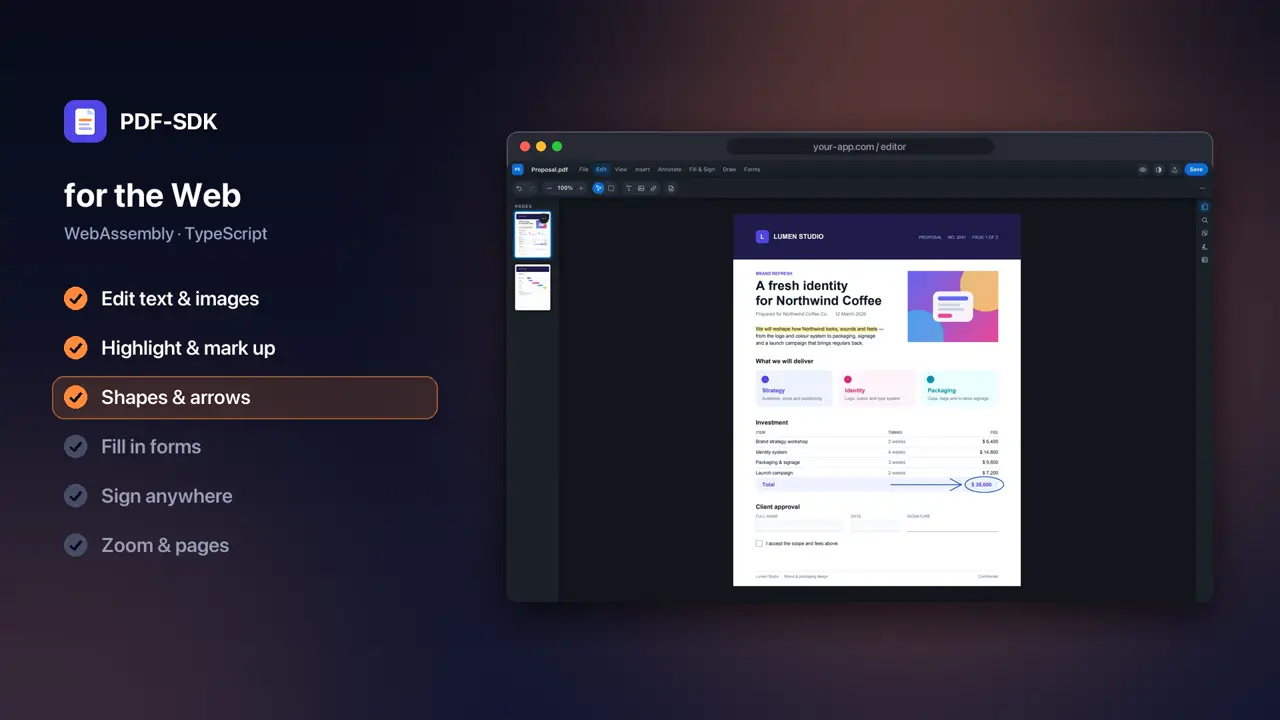
The full editor in a browser tab, built on WebAssembly with a TypeScript API.
- Edit text and images
- Highlight and mark up
- Add shapes and arrows
- Fill in forms
- Sign anywhere
- Zoom and move between pages
Built for the web.
Runs in the browser tab
The editor and its engine run on the visitor’s device. There is no document server to run, and no file to upload.
TypeScript API
Create an editor on a canvas, open bytes, take the edited PDF back. Typed throughout.
Edit from code
A document API reads and replaces text, adds content, fills forms and edits pages — without the editor.
Digital signatures
Create a digital ID, sign a document and verify the signatures in it, in the browser.
Licensed per domain
A key names the domains it covers. A separate development key unlocks localhost, so a copied production key cannot.
Hosts you already use
Serve the page over HTTPS with two isolation headers — Netlify, Cloudflare Pages, Vercel and nginx all can.
Requirements
- Browser
- WebAssembly, WebGL2 and SharedArrayBuffer
- Tested in
- Current Chrome (desktop and phone); Safari in development
- Page
- HTTPS, cross-origin isolated (COOP and COEP headers)
- Install with
- npm
Add the JavaScript PDF editor in three steps.
- 1
Install the package
@pdfsdk/editor comes with your license as an npm tarball. Install it like any local package and serve its wasm folder next to your page.
- 2
Isolate the page
Serve the page that hosts the editor over HTTPS with the COOP and COEP headers, because the engine uses threads. The rest of your site can stay as it is.
- 3
Create an editor
Call PDFEditor.create on a canvas with your key, open the file’s bytes, and editor.save() returns the edited PDF as a Uint8Array.
Web questions.
No. The editor and its engine run in the browser tab; documents never leave the visitor’s device.
HTTPS and two response headers, Cross-Origin-Opener-Policy and Cross-Origin-Embedder-Policy, on the page that hosts the editor. Netlify, Cloudflare Pages, Vercel and nginx can set them; GitHub Pages cannot.
Yes, with your development key, which lists localhost. Production keys only unlock the domains they name.
The same editor on other platforms
Try it in your app.
A free trial unlocks every feature on every platform, in any app. Open a document today.
Talk to us
Questions about licensing, several apps, volume, or OEM and site terms — we will work out what fits.